Documentation
Sponzy - Support Creators Content Script
Created: 03, September 2020 by Miguel Vasquez
Table of Contents
Sponzy - Support Creators Content Script is a platform where content creators, writers, designers, developers, photographers or any other branch can monetize their content by receiving subscriptions from their most loyal followers or just anyone who likes their work. They can create free and premium posts for their subscribers.
Features:
- Built with Laravel 8
- Live Streaming
- Subscription system
- Push Notifications
- Stories
- Users can set the monthly subscription price
- Bootstrap 4
- Font Awesome 5
- Implemented GDPR
- Banner Cookies Policy
- Strong Customer Authentication (SCA) in stripe for customers with business in Europe.
- Dashboard with Statistics and balance of your account
- Storage (Local, Amazon, DigitalOcean, Wasabi)
- Notifications Real-time
- Online / offline user
- Google reCAPTCHA
- Edit your page (profile)
- Account verification by uploading ID or Passport
- Verified users will display a badge
- Create unlimited posts Free and Premium
- Creators can change their name, username and password
- Creators manage their posts
- Feed from recent posts of creators subscribed
- Infinite scroll
- Categories
- SEO on Pages
- SEO on Categories
- Upload Avatar
- Upload Cover
- Setting your Payout method (PayPal or Bank Transfer)
- Make withdrawals when you reach the minimum amount established by admin
- Search creators by Name/Username, categories and filter by featured and new
- Integration with PayPal (Recurrent)
- Integration with Stripe with (SCA) (Recurrent)
- Creators Featured
- Social Login with Facebook and Google
- Email Verification
- Users can like in posts
- Users can comment on posts
- Ajax Comments
- Upload Photos
- GIF Animated
- Upload Videos MP4/MOV (quicktime)
- Upload Audio MP3
- Social profiles
- Sending mail to the user when a withdrawal payment is sent.
- You can report posts and creators
- Current balance of the creator in the drop-down menu
- XSS: Protection from cross site scripting
- Secure Bcrypt password hashing
- SMTP Support
- Share your page URL (Profile) or share on Facebook and Twitter
- Easy translation
- Multilanguage
- Option Delete Account
- Link to @username on posts and comments
- Progress bar on Upload
- Message system with creators, they can send photos, videos and audios
- Infinite scroll on Message system
- Creator can edit posts and replace Media
- Lazyload Images
- History of payments made and received
- Sitemap
- Email notifications (New subscriber)
- Blog
- Contact us page
- Invoices for payments made
- Admin Features:
- Set General Settings (Name Site,Keywords,Currency Position,others)
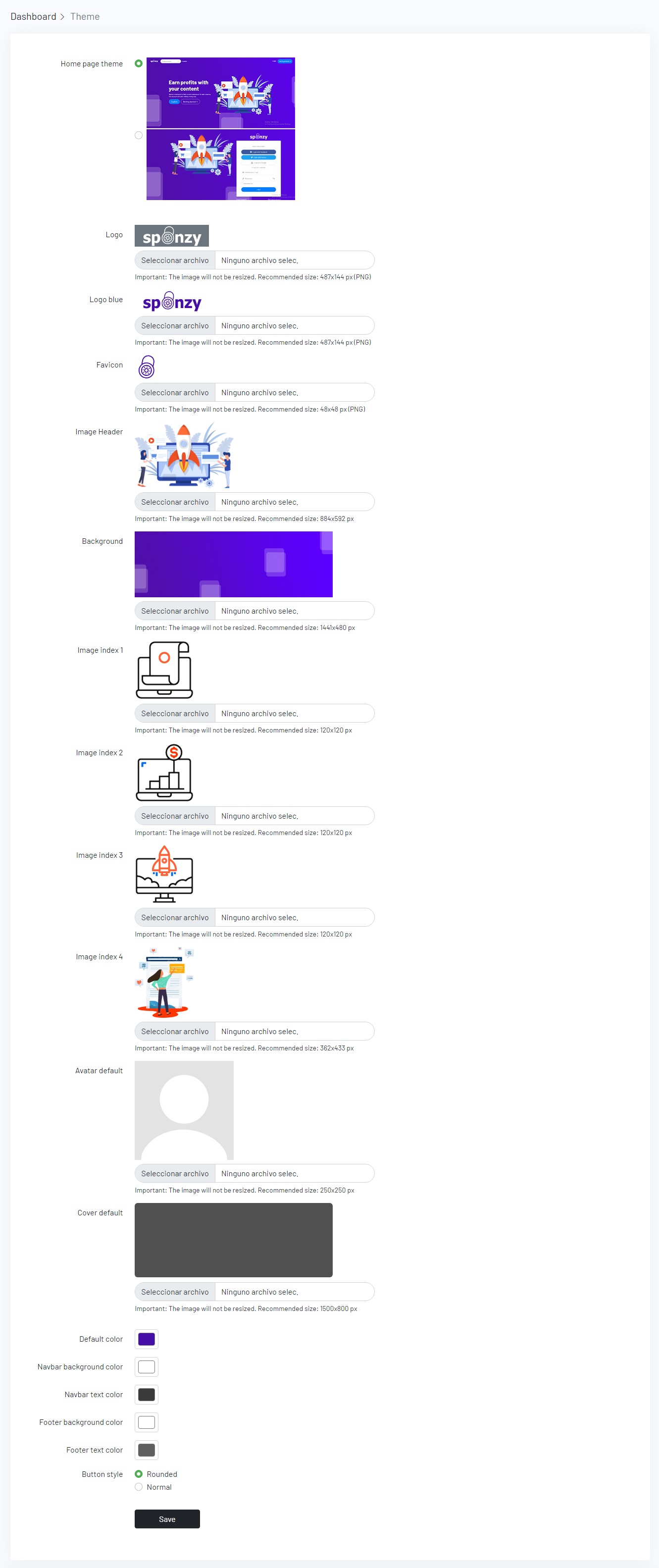
- Change Logo/Favicon/Avatar Default/Images on Index
- Manage Subscriptions
- Accept / reject, ID verifications
- Create/Update/Delete Categories
- View/Delete Reports
- View/Pay Withdrawals
- Add code Google Analytics
- Update/Delete Members
- Create/Update/Delete Pages
- Set Payment Settings
- Set Profiles Social
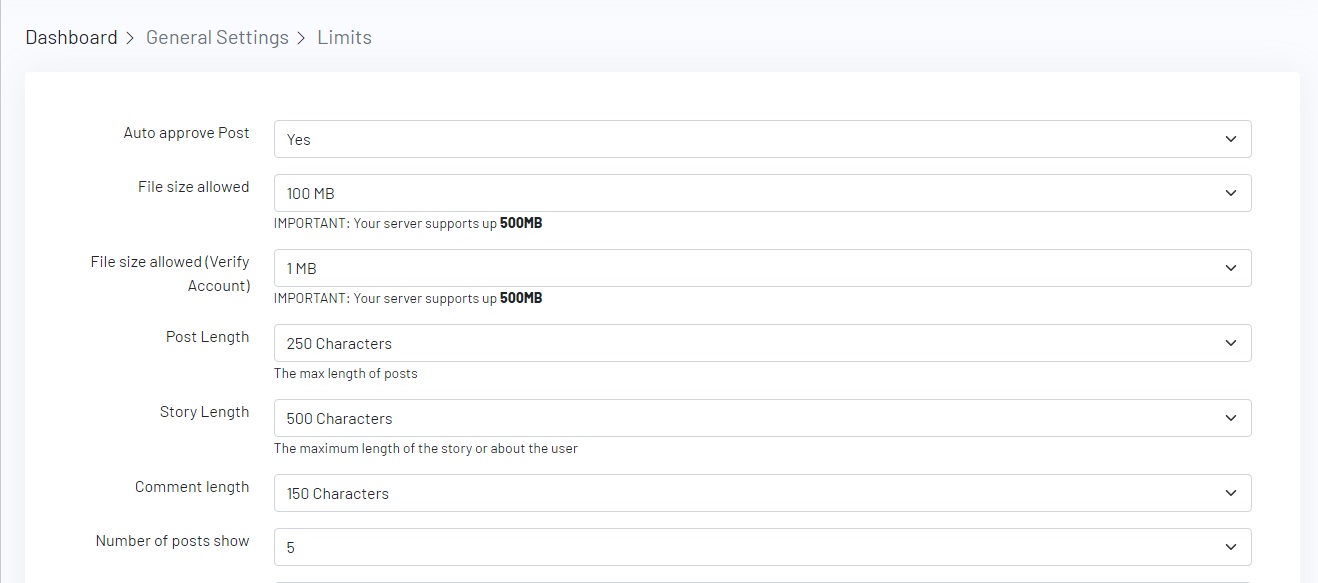
- Set limits (File size allowed,Min donation amount)
- Statistics
- Maintenance mode
Requirements:
- PHP 8.0 or Greater
- MySQL 5.7
- OpenSSL PHP Extension
- PDO PHP Extension
- Mbstring PHP Extension
- Tokenizer PHP Extension
- XML PHP Extension
- Ctype PHP Extension
- JSON PHP Extension
- BCMath PHP Extension
- cURL
- GD or Imagick
- allow_url_fopen (PHP.INI) is ON
- Fileinfo PHP Extension
- FFMPEG
IMPORTANT:
Make sure your server has PHP 8.0 or higher and MySQL 5.7 as a minimum
IMPORTANT:
if you are running Nginx, please follow these instructions Nginx Configuration
Setting MySQL
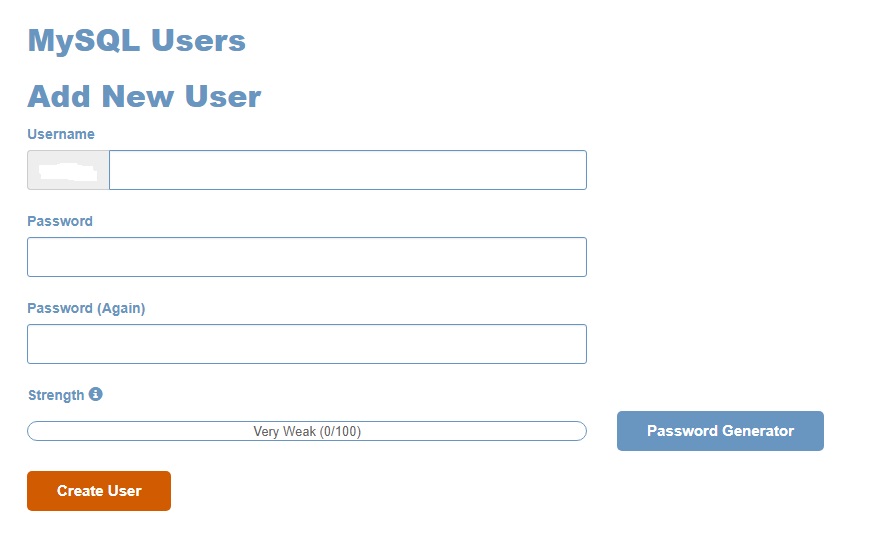
- 1.) Create a database
- 2.) Create a user for database
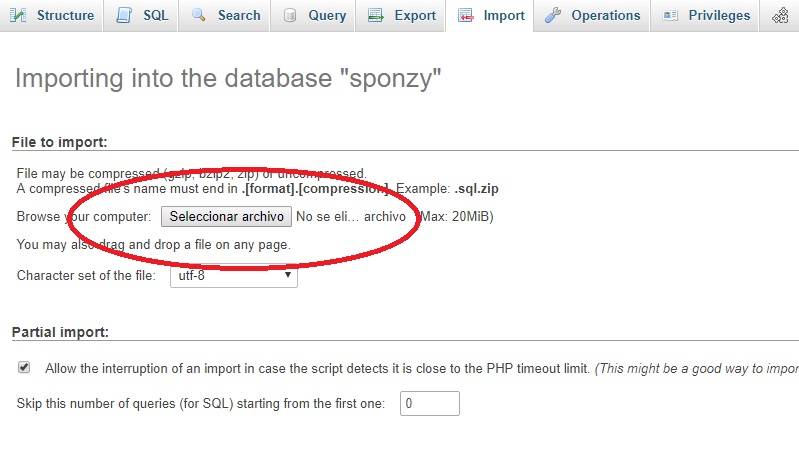
- 3.) Import the Database
- Log into your phpMyAdmin and import the
sponzy.sqlfile located in the folderMySQL

Uploading Files
- Upload all files inside the folder
"Script"to the"public_html"or"www"folder on your server. You can compress the files or use FTP.

Installation
- After you have uploaded all files, go to
https://yousite.com/install/script - This screen will appear, all the boxes must be green to proceed with the installation.
- Next, you can put the credentials of your database, your App name, URL and an email. You will be redirected to the Panel Admin after the installation has finished.
- Credentials Admin Panel
- Just enter from
https://yousite.com/loginand enter the following credentials.


User: Admin
Pass: 123456
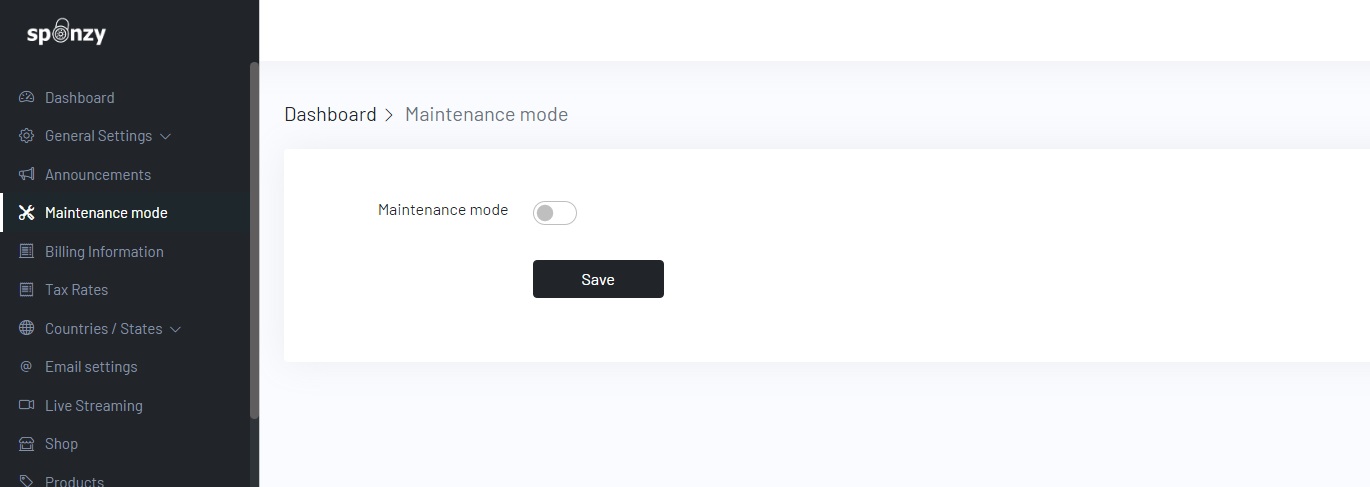
storage \ framework and delete the file named down and file maintenance.php go back to panel / admin / maintenance / mode put "off" and then "on" again, whenever you want to have your site in mode maintenance.


/usr/local/bin/ea-php74 /home/username/public_html/artisan schedule:run >> /dev/null 2>&1Important: if it doesn't work with /usr/local/bin/ea-php74 or whatever PHP version you have try /usr/local/bin/php

https://yousite.com/panel/admin/settings/emailhttps://yousite.com/panel/admin/storageImportant: If you want to migrate your site to any storage service (Amazon, DigtalOcean or Wasabi), you must upload the following folder located in the public / uploads of your current site.
Important: If your site is new you should upload the folder located in the public / uploads
https://yousite.com/panel/admin/google
IMPORTANT:
choose reCAPTCHA v2 and Invisible reCAPTCHA
Developers section of the Stripe dashboard and click on Webhooks.
Click on Add endpoint

stripe/webhookSigning secret to reveal the Stripe Webhook Secret that you must place in Dashboard > Payment Settings > Stripe2020-08-27
Client ID and Secret in Panel Admin > Payments Settings > PayPal.Webhook URL field paste your webhook URL https://yourwebsite.com/webhook/paypalWebhook ID in Panel Admin > Payments Settings > PayPalDYNAMIC PRICES on your CCBill account - contact their live support https://support.ccbill.com
Creating a FlexForm

Allow for dynamic price to be passed to form box and click save.

Panel Admin > Payment Settings > CCBill
Sub Account

Setup Webhooks
Webhook URL text box with the URL https://yourwebsite.com/webhook/ccbill
Webhook format select URL Encoded
Select All and click on update.

Disabling User Management
- On the Account Info megamenu, click Sub Account Admin, then User Management.
- Select Turn off User Management in the top section.
-
Select
Do Not Collect Usernames and Passwordsin theUsername Settingssection.

Create Library of URL (Approval)
2. URL Name. Enter a meaningful name for this URL. Forexample: Payment Success
3. URL. Under URL, enter the base URL for your Site store.
https://yourwebsite.com/ccbill/approved
2. Under the green Approve arrow, click the square to modify the action.
3. Approval URL. In the left menu, select A URL. Select Select a Saved URL and select the URL your created earlier (e.g. Payment Success).
4. Redirect Time. Select a redirect time of 1 second using the slider at the bottom and save the form. (e.g. 4 seconds)

If you have any problems or questions contact CCBill support https://support.ccbill.com
Panel Admin > Payment Settings > PaystackCallback URLWebhook URL put https://yourwebsite.com/webhook/paystack
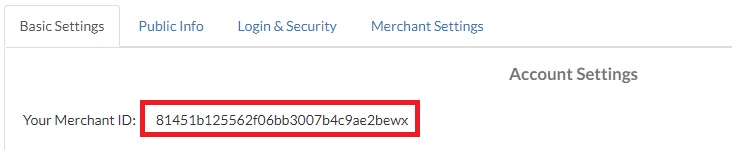
Account Settings -> Merchant Settings -> IPN
Panel Admin > Payment Settings > CoinpaymentsPanel Admin > Payment Settings > Mercadopago
Panel Admin > Payment Settings > Flutterwave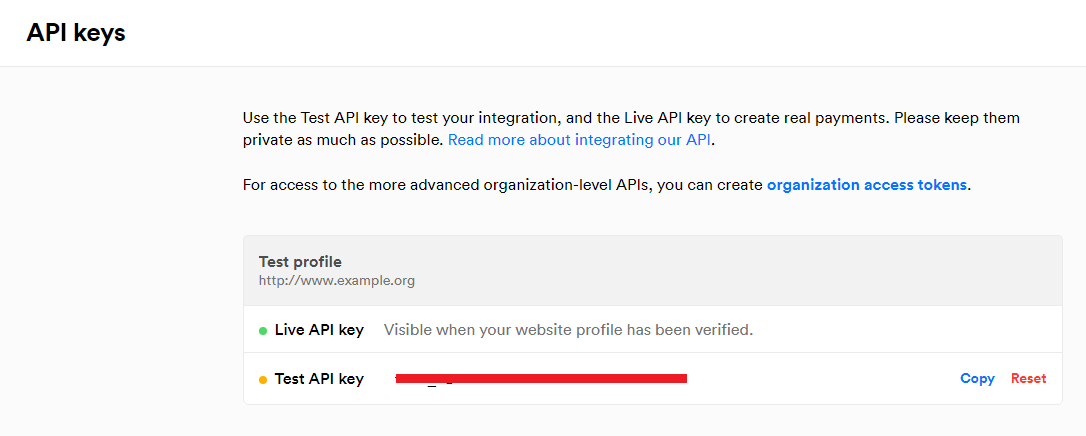

settings and then Payment methods
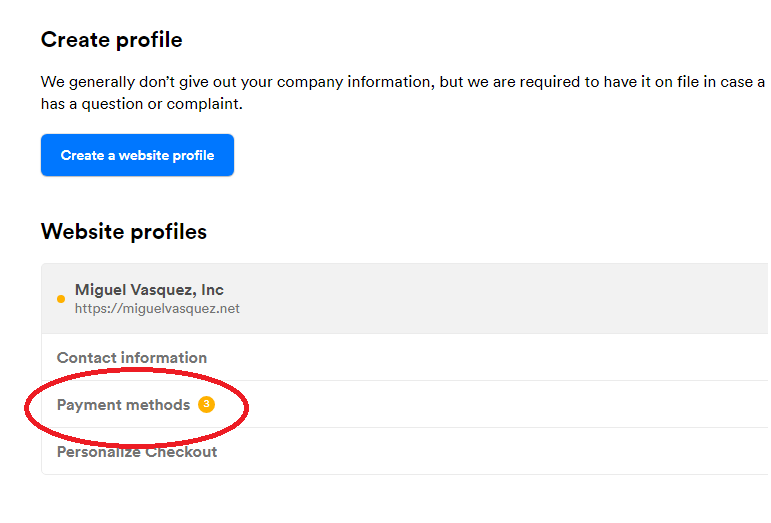
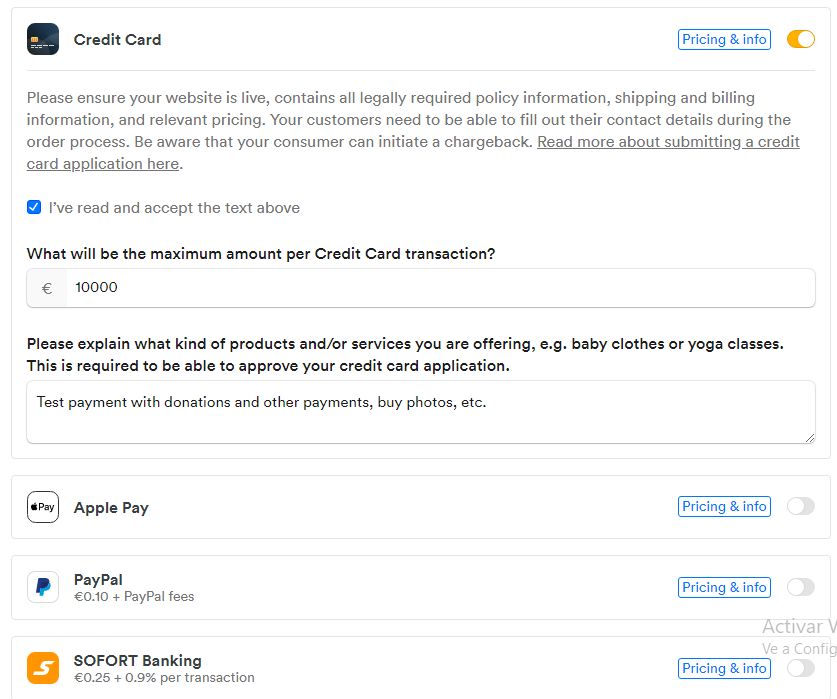
IMPORTANT:
This step is essential, not doing it will not work.
Panel Admin > Payment Settings > MolliePanel Admin > Payment Settings > RazorpaySocial Login
- Go to
https://yousite.com/panel/admin/social-login
Live Streaming (Agora.io)
- Get yourself account Agora.io
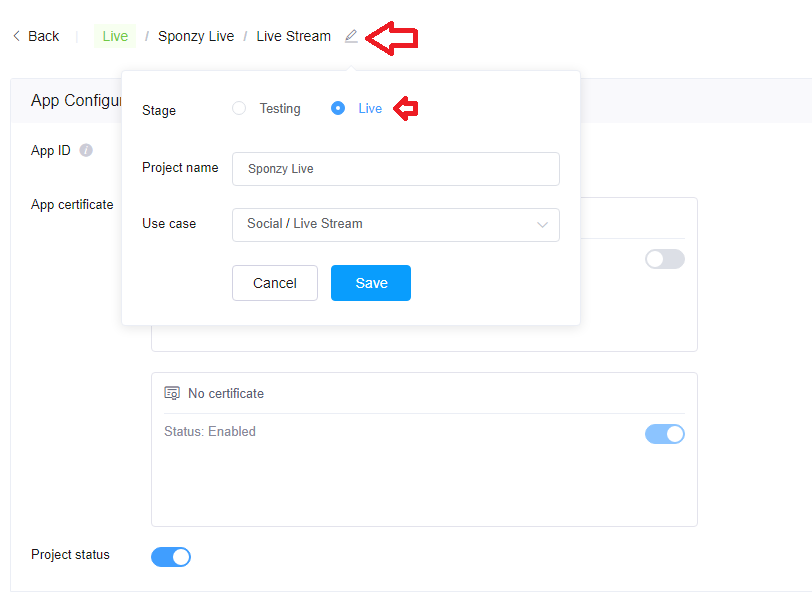
- Go to https://console.agora.io/ and Click on New Project, give a project name and choose Testing mode: APP ID
- [IMPORTANT] Switch to live mode
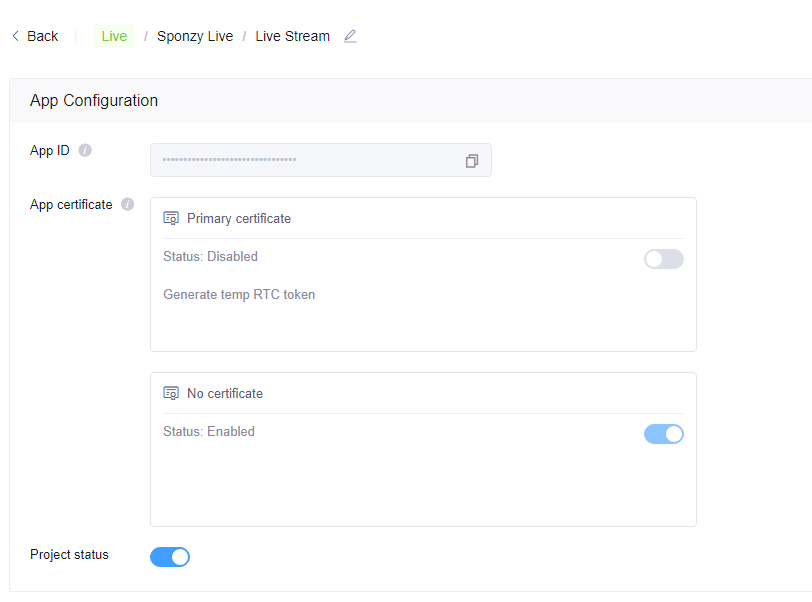
- The configuration should look like this
- Go to Panel Admin > Live Streaming enable and set the APP ID

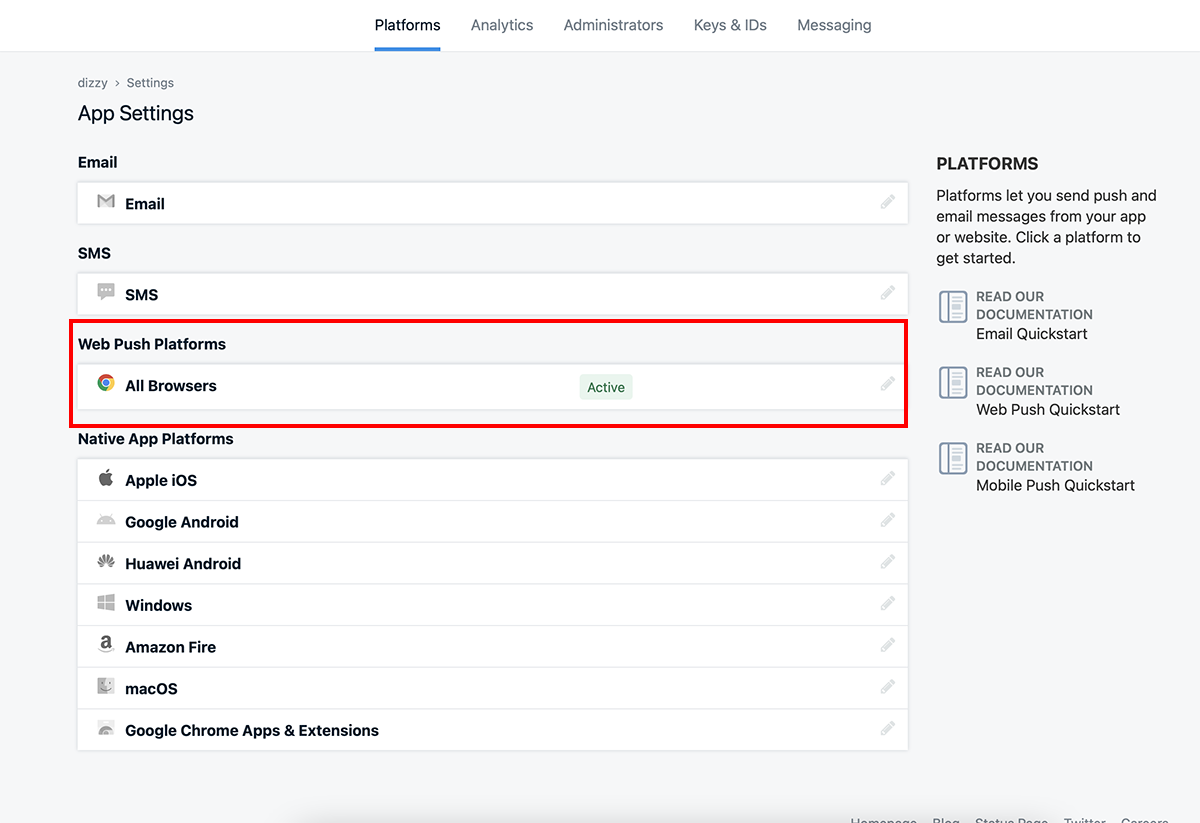
Push Notifications (OneSignal)
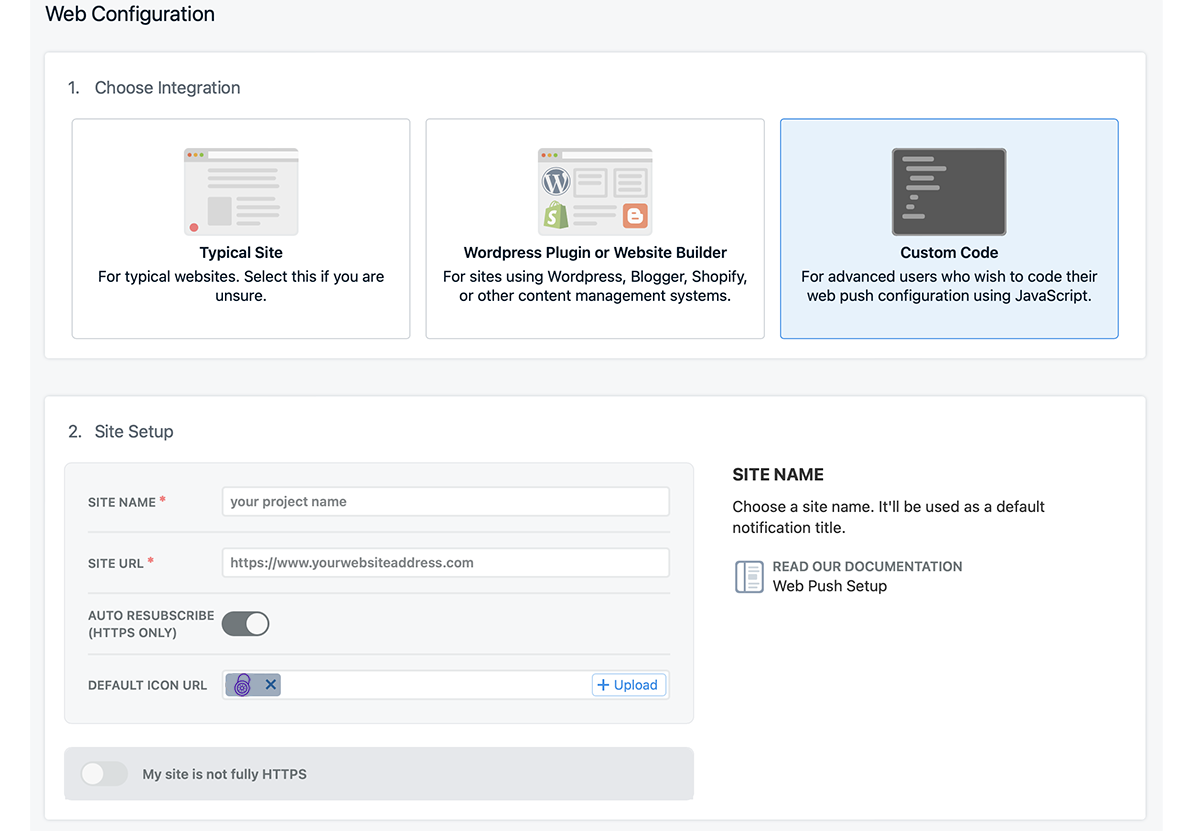
- Get yourself account Onesignal
- Step 1:
- Step 2:
- Step 3:
- Step 4:
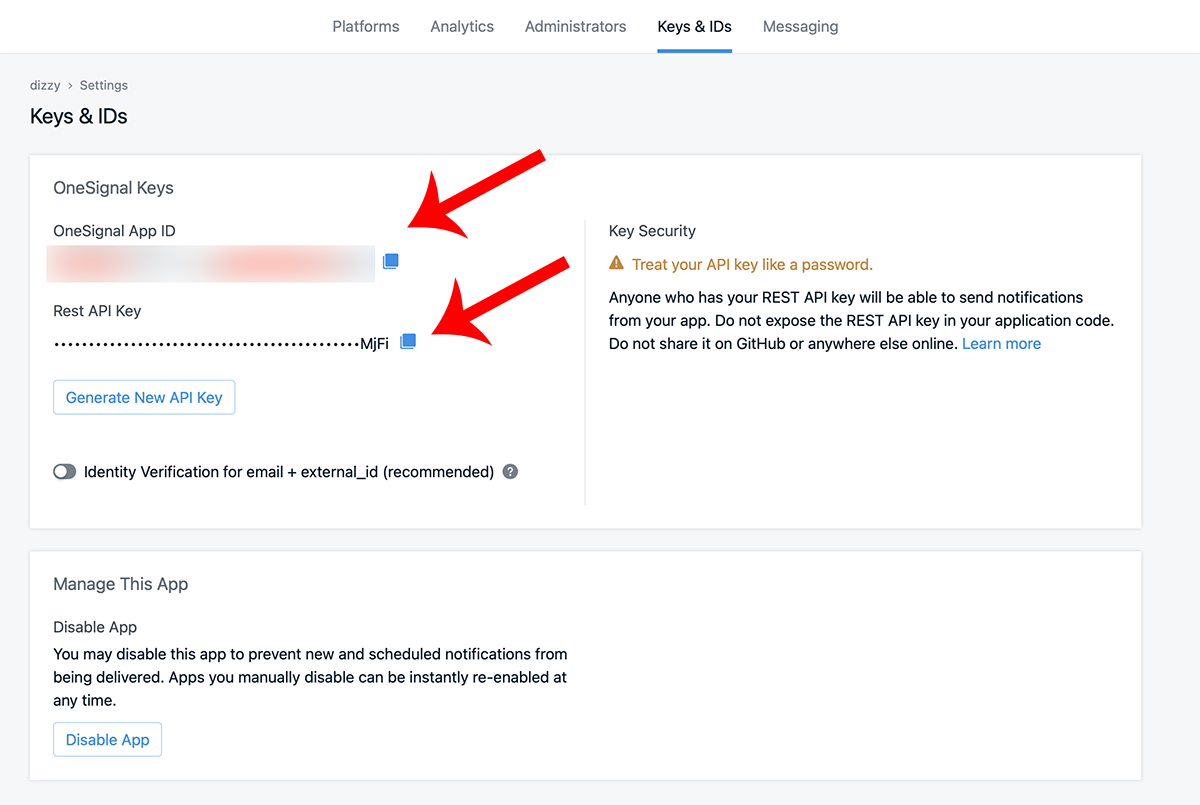
- Go to Panel Admin > Push Notifications enable and set the OneSignal App ID and OneSignal Rest API Key

Customize
- Language files
- Find this lines in resources / lang / en /
/*
|--------------------------------------------------------------------------
| Admin Language Lines
|--------------------------------------------------------------------------
|
*/

'admin'                     =>      'Panel Admin',
'role_admin'                =>      'Admin',
'dashboard'                 =>      'Dashboard',
How to add a new language
Translate Slogan, Description and Keywords (SEO)
<?php

return array(

/*
|--------------------------------------------------------------------------
| SEO Language Lines
|--------------------------------------------------------------------------
|
*/
"slogan" => "Support Creators Content", // New on v4.0
"description" => "Lorem ipsum dolor sit amet, consectetur adipiscing elit. Integer ut tortor rutrum massa efficitur tincidunt vel nec lacus. Curabitur porta aliquet diam, eu gravida neque lacinia.",
"keywords" => "donations,support,creators,sponzy,subscription,content",
);
IMPORTANT:
You will need to change in resources/lang/es/seo.php if you want to use that language or if you have created another one.
Translate Categories
<?php

return array(

	/*
	|--------------------------------------------------------------------------
	| Categories Language Lines
	|--------------------------------------------------------------------------
	|
	*/
	"Animals" => "Animales",
	"Business" => "Negocios",
	"Charity" => "Caridad",
);Translate Shop Categories
<?php

return array(

/*
|--------------------------------------------------------------------------
| Shop Categories Language Lines
|--------------------------------------------------------------------------
|
*/
"exclusive-content" => "Contenido exclusivo",
"handmade" => "Hecho a mano",
"snapchat-sales" => "Ventas Snapchat",
);Translate Pages
Sitemap
https://yoursite.com/sitemaps.xmlTroubleshooting
storage / framework and delete the file named down and file maintenance.php go back to Panel Admin > Maintenance mode put "off" and then "on" again, whenever you want to have your site in mode maintenance.Panel Admin > Email settings).htaccess file has not been corrupted when uploading to your server..env file has not been corrupted when uploading to your server. It must have a dot before the name, and you must have at least PHP 8.0Make sure these folders and files have 0755 permissions
FilesBasic PHP configuration
max_execution_time minimum 6000memory_limit set to 512Mpost_max_size set the maximum upload value you wantupload_max_filesize must be the same maximum value of post_max_sizeSources and Credits
- Laravel - https://laravel.com/
- jQuery - https://jquery.com/
- Bootstrap - https://getbootstrap.com/
- Font Awesome - https://fontawesome.com
- IcoMoon - http://icomoon.io
- jquery Form // malsup.com/jquery/form/
- jqueryTimeago.js // http://timeago.yarp.com/
- Readmore - http://jedfoster.com/Readmore.js/
- Fonts - https://www.google.com/fonts
- Tinymce - http://www.tinymce.com/
- Ckeditor - https://ckeditor.com/
- Morris - http://morrisjs.github.io/morris.js/
Any problem or doubt send me an email to support@miguelvasquez.net
Do not forget to visit miguelvasquez.net
Thank you for purchasing my script 😉